
See and compare charging prices – directly on the map
Too expensive?
Too opaque?
We can definitely fix at least one of those: the lack of transparency. For the other, the filter helps you find where you can charge for less.
The price per kilowatt-hour is set by the operator of the charging station, and our price follows it — down as well as up. When an operator lowers its price, that shows in ChargEV FleX just as an increase does. There is no single price for every site: each site has its own. Our share is in that price, and nowhere else.
What the map shows is what the invoice shows.
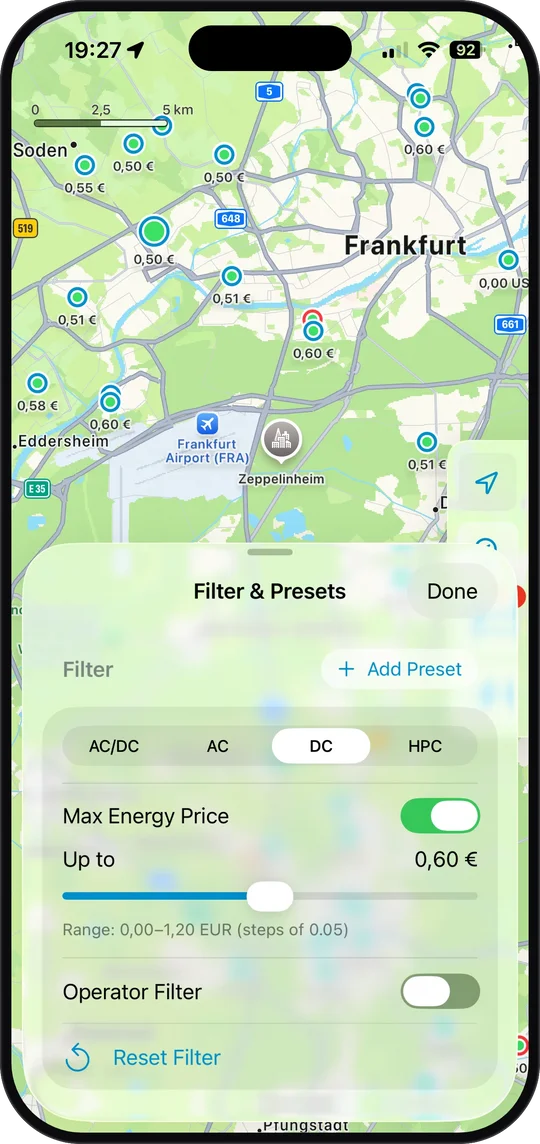
ChargEV FleX displays the price per kilowatt-hour at each site on the map. You can compare prices as you search, without opening every station individually.
Knowing the price up front is the difference between expensive and unpredictable — and unpredictable is the part that really stings. A high price you see beforehand is a decision. A price you only discover at the station is a surprise.
The price shown is the one that applies when you charge with ChargEV FleX and the one that appears on your invoice — not a “from” price for the cheapest charge point, not an average across all charge points, and no surcharge at payment. If the operator charges a session fee, it is shown separately and unchanged.
For that comparison to be useful, the displayed price needs to match what you are looking for. A low AC rate is of little use when you want to charge on DC.
Filter for your needs and charge for less
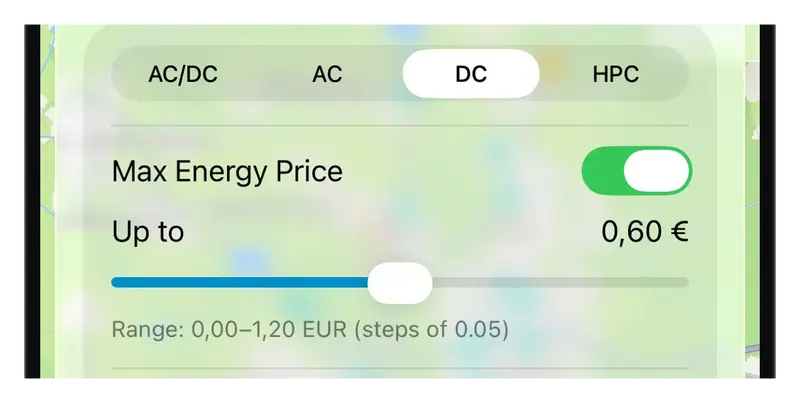
A site can have different prices for different charging types. Select DC and the map shows the corresponding DC rate. The filter determines both which sites appear and which price is displayed at each one. That is why a site’s map price can change when you switch between AC and DC.
Add a price limit of €0.60/kWh and the app narrows the displayed sites to that price range. You are now comparing offers for your chosen charging type within your price limit. Remember to account for other tariff components too, such as session or blocking fees.
Combine charging type, price limit and operator, then save them as a preset. Next time, you can return to “DC up to €0.60/kWh” with a single tap.
The price follows the operator through the day as well: for time-based tariffs, the station details show when it gets cheaper and when it gets more expensive, down to time windows as short as 15 minutes.
Because every price on the map matches your filter, you can compare sites directly — before you set off.
This lets you consider location, distance and price together.
Farther and cheaper, or closer and faster — your call.
Try the filter next time you charge. ChargEV FleX requires no account, subscription or base fee; pay with Apple Pay or a credit card. Our guide explains how to charge without a charging card, account or subscription.
Not installed yet? Take a look at ChargEV FleX.